
So, are you having the trouble that your drop-down menu is not dropping down when a keyboard user tabs onto it? it can be quite problematic for the accessibility of ALL the user types on your website. If you are looking to meet WCAG guidelines, or you just want to be mindful, this little CSS trick will help change your navigation into a keyboard-friendly experience.
it’s fairly simple.
I have a drop-down menu that is based in list-items. Some of the top-level menu items have child pages under them in nested lists. When someone tabs onto a parent-level menu item, the “focus-within” psuedo class becomes valid at styling the child menu, making it display within the page.
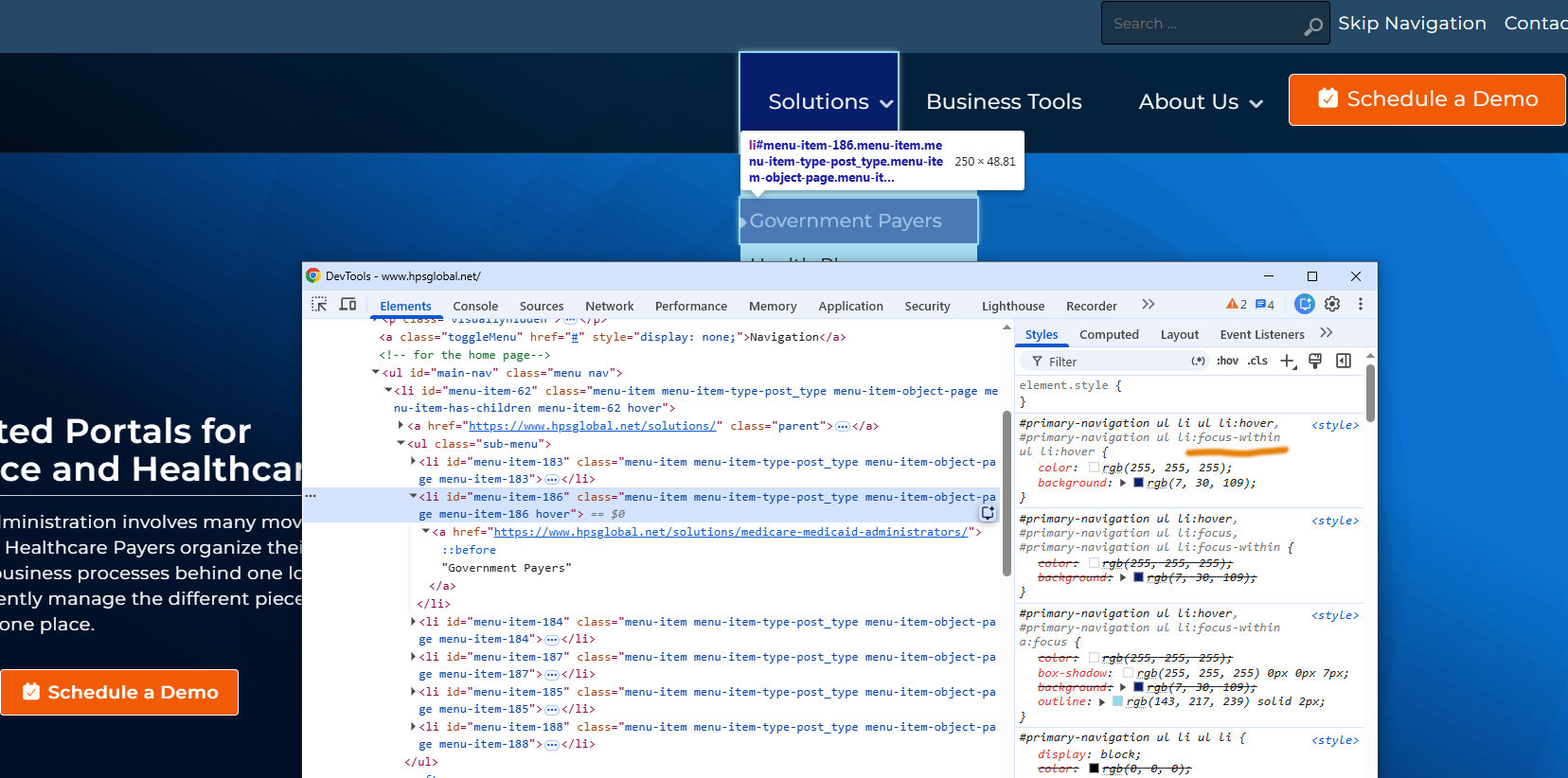
Key notes, make sure you don’t make the child menu not viewable by making is “display: hidden” or “visibility: invisible,” as this will make it an object that one can’t tab onto. One has to be able to tab onto the item, so the CSS pseudo class instructions can kick-in.
This work on my client site, so I am adding it to my main graphic design website and my boilerplate code for all new WordPress themes that I make, so the themes can be optimized for accessibility out of the box. 🙂
PS – I wrote this in 2022, but apparently never his the publish button. I saw I had a stock pile of “draft” blogs that I never actually published, so I guess better late than never!
Leave a Reply
You must be logged in to post a comment.